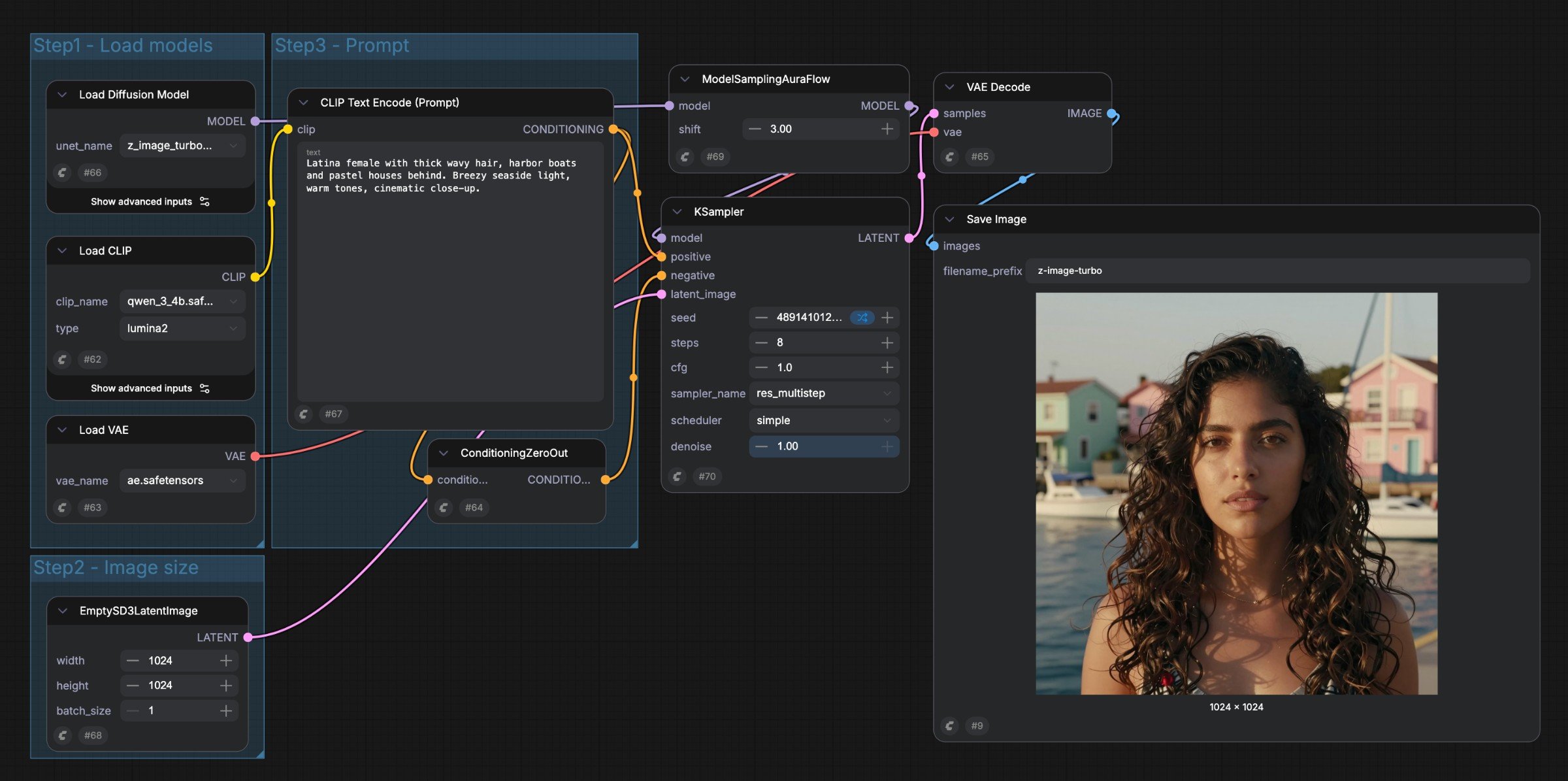
You do not need to build a graph from scratch to use ComfyUI. A template gives you a working starting point. The boxes on its canvas show the steps ComfyUI will take. A simple ComfyUI workflow

Read a workflow from input to result

Imagine the image you made in Create your first image:
  1. A text input describes what you want.
  2. A model is selected or loaded to generate the image.
  3. Generation steps use that input and model.
  4. An output step shows or saves the finished image.
The boxes are nodes. Each node does one job. The lines are connections, also called links, that pass results between nodes. You can follow the connections to see where an input goes. You usually edit a prompt or other setting inside a node, then click Run to execute the workflow again.

What is a template?

A workflow is the complete set of nodes, settings, and connections. A template is a ready-made workflow you can load and edit. A template saves you from assembling the steps yourself, but it does not always include everything needed to run:
  • A workflow using a local model needs the corresponding model files on your device.
  • A workflow using a Partner Node calls a hosted model and may need an account and credits.
  • A workflow from another person may also need input images or community custom nodes.
A template is therefore a starting point, not a separate way of running ComfyUI. Compare local and hosted execution.

What should you change first?

Change one prompt and run the workflow again. Once you can see how the result changes, try one more input, such as image size or an input image. You can leave the rest of the nodes connected as the template provides them. If a workflow cannot run, use the symptom-based guide. For more detail, see the reference pages for workflows, nodes, models, and links.